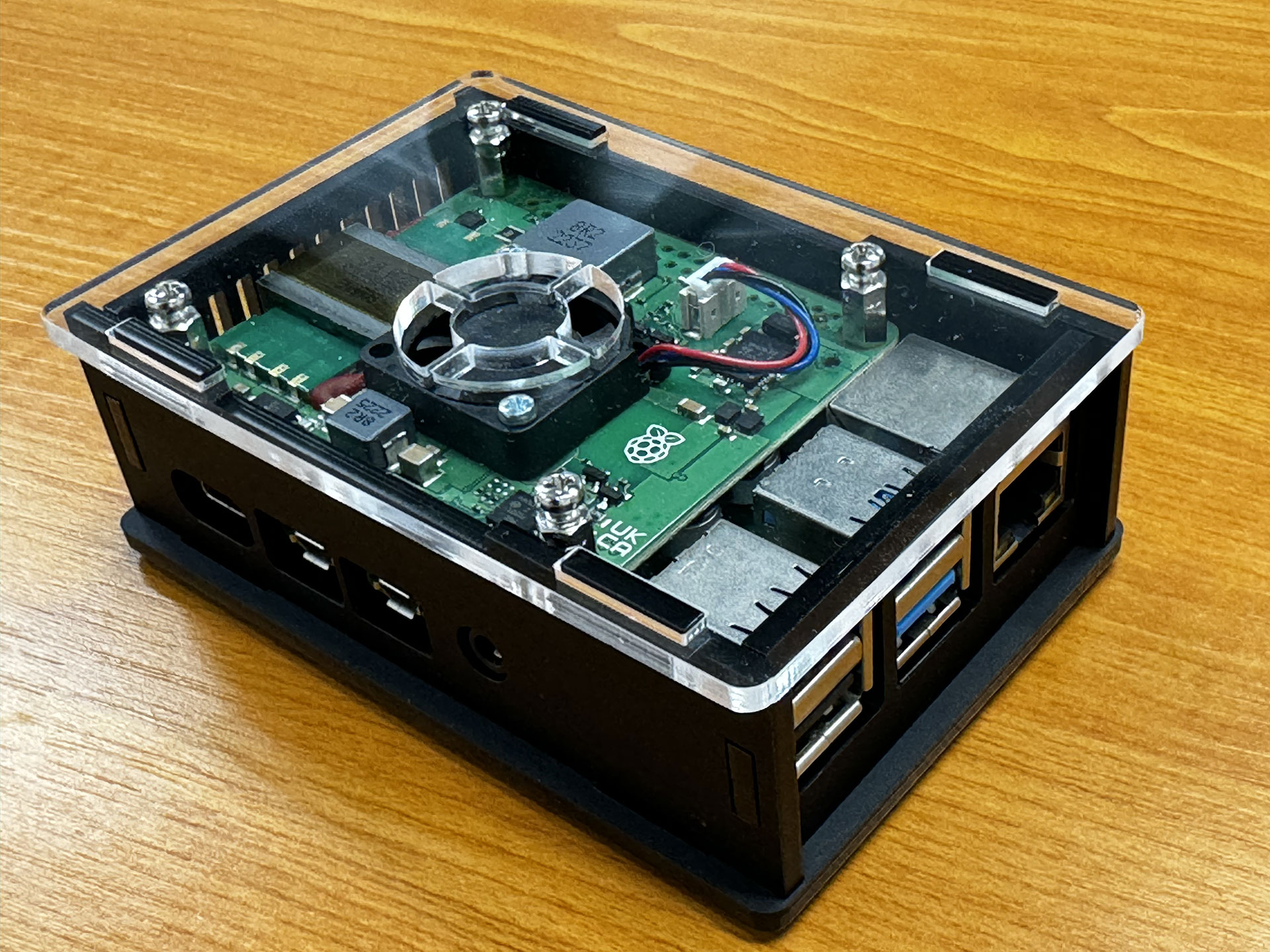
Unity V2 PoE case for RPi4
The Unity V2 PoE enclosure from Kiwi Electronics is a laser-cut enclosure that provides space for the official Raspberry Pi PoE+ HAT and a Raspberry Pi 4.
Parts list
- 6x acrylic parts
- 8x 6mm M2.5 screws
- 4x 10mm M/F hex spacers
- 4x 8mm F/F hex spacers
- 4x 6mm M/F hex spacers
- 1x hex tool for spacers
- 4x rubber feet
Remarks
- You will need a screwdriver for assembly.
- First remove the protective film from the acrylic parts.
- Because the parts are made of cast acrylic, there may be differences in thickness. We try to prevent parts from not fitting as much as possible. In the unlikely event that this does happen, please contact us for a replacement.
- If you want to mount the housing on the wall, make sure that the screws in the wall do not protrude more than 7 mm to prevent them from hitting the bottom of the Raspberry Pi.
Step 1
First, place the 6 mm spacers on the bottom plate with screws as shown in the image below.
Step 2
Place the Raspberry Pi on the spacers and mount the 10mm M/F spacers. The notch on the bottom plate should be at the back for the microSD.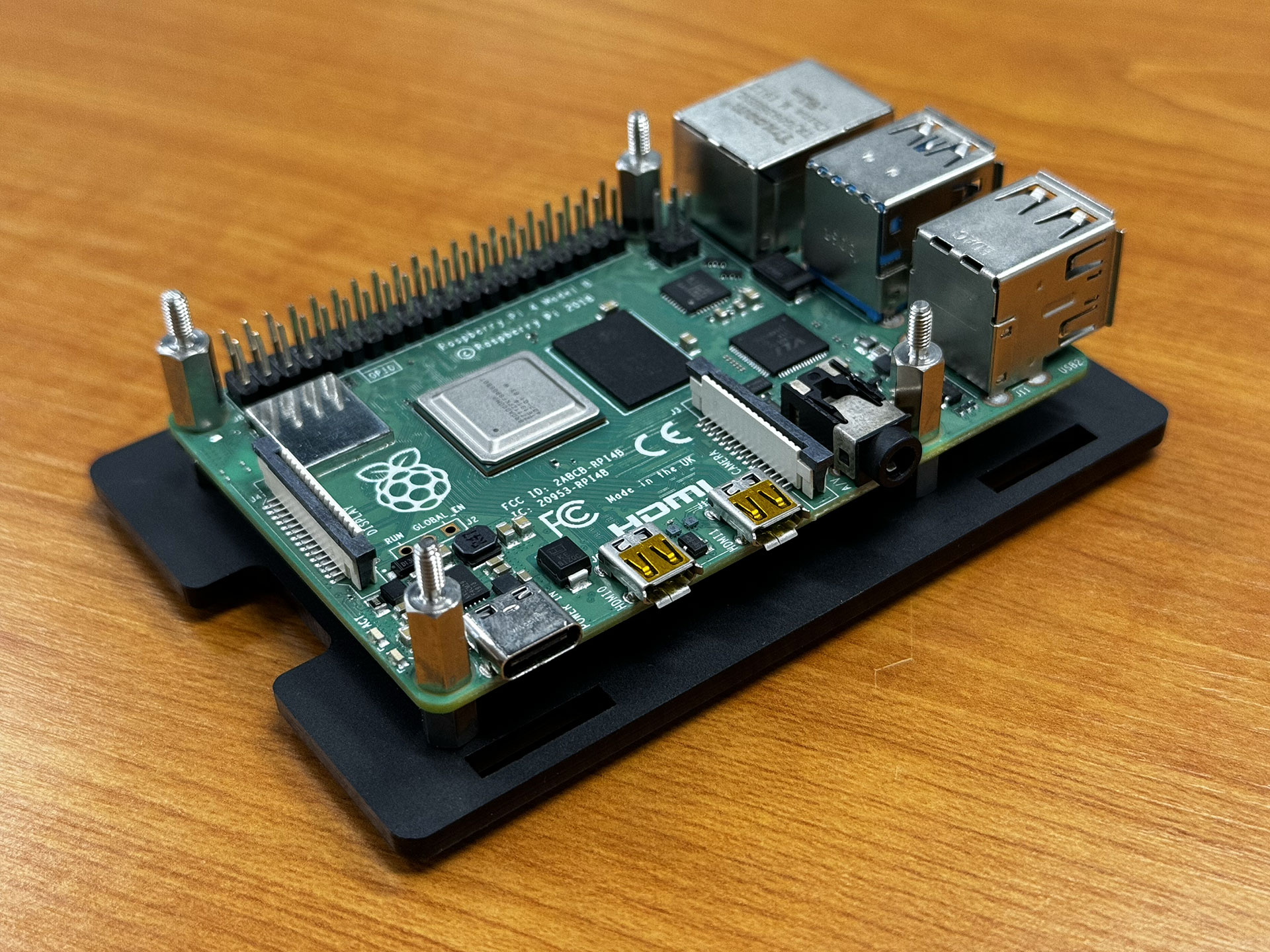
Step 3
Place the PoE+ HAT and then screw the 8mm F/F spacers onto the 10mm spacers.
Step 4
Next, place the side plates. Start with the front (USB/Ethernet side). Then carefully place the long sides, and finally the back. A little pressure may be necessary, but make sure not to apply too much pressure to the long sides, otherwise the bottom plate may break.
Step 5
Then, screw the top plate in place, and your enclosure is ready. If desired, attach the included feet to the bottom plate.